Photo Credit: RTA
It is important for any motorist in Dubai to check traffic fines and black points online to stay fully updated on their driving records and any outstanding penalties or fines. It is vital for UAE nationals, Dubai residents, and even visitors driving a car or motorcycle to understand how to check their records and take any necessary measures when needed.
Dubai offers various online channels for checking traffic fines, including an official government website and several digital services. Depending on the type of violation and the information available, motorists can check fines recorded against their vehicles and black points recorded against their driving license.
Another important aspect to check is black points, which are recorded for specific traffic violations and may affect drivers’ privileges if they accumulate. Checking all these important matters is essential for any motorist in Dubai.
Information needed before searching

Prior to checking traffic fines and black points online, motorists should get ready by preparing their driving license and vehicle registration details. These details may differ from one official service to the other and from one violation to the other as well.
There is in fact a clear difference between fines that are related to the vehicle itself and the black points that are fully associated with the driver and the driving license.
The required information usually includes:
- Vehicle plate details: Plate number, plate source (emirate), plate category, and plate code, where applicable.
- Driving license details: Driving license number and issuing emirate, particularly when checking black points associated with a license.
- Traffic file number: This may be required to access traffic records or search for violations.
- Vehicle or personal identification details: Some services may request additional information to verify the record.
Motorists should use the official Dubai Police or Dubai government channels and make sure the information they enter matches the vehicle or driving license records. Not all services require all these details. However, it is advisable to have them ready before beginning the search.
Dubai Police lookup route
Motorists should use official Dubai Police digital services to check their fines and any black points linked to traffic violations. However, before you initiate the search, you should have all the required information ready.
Step-by-step route
- Visit the official Dubai Police Fines Inquiry and Payment link.
- This service covers violations registered against a vehicle plate, driving license or traffic code.
- Choose the relevant lookup method and enter the requested details.
- Review the results for outstanding fines and any available black-point information.
To check black points associated with their driving license, motorists should use the available driver-related lookup option and enter the requested details. A vehicle plate search should not be treated as a complete record of the driver’s black points. The official Dubai Police portal also provides services for transferring black points and reviewing traffic violations.
Checking and declaring black points through RTA
Use the RTA Pay Vehicle Fines service.
The official steps are:
- Visit the RTA Pay Vehicle Fines service.
- Open Fines Inquiry and Payment.
- Enter the required details or log in using UAE Pass.
- Select Payable Black Points (in Dubai or other emirates).
- Confirm whether you were driving and enter the traffic code received by SMS.
- If someone else was driving, enter that driver’s license details. The driver receives a notification to declare the black points and enter the traffic code.
- Once the driver confirms the declaration, proceed with payment and retain the receipt.
RTA payment route
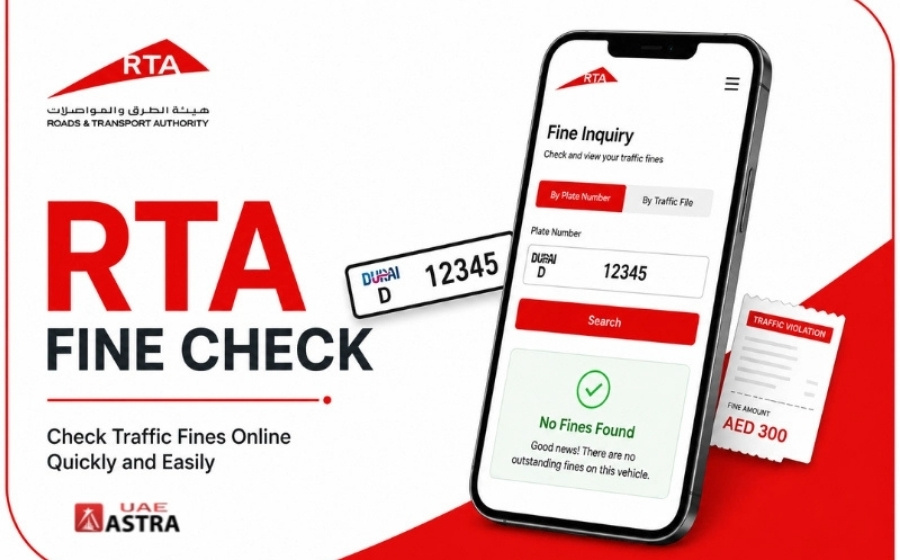
The Roads and Transport Authority (RTA) provides the option for motorists to check their traffic fines in Dubai and pay for them online. This can be carried out either through its official website or application.
Step-by-step route
Official links:
– RTA Fines Inquiry and Payment
Verified navigation steps
- Open the RTA Fines Inquiry and Payment page.
- Select a supported search method and enter the required details. The official service supports searches using vehicle plate details, driving license number, fine number or traffic file number.
- If searching by fine number, select the authority that issued the fine from the Fine Source menu when prompted, choosing RTA only for RTA-issued fines.
- Review the results and select the applicable fine to proceed with payment.
- Complete the payment and retain the receipt.
Understanding black points and vehicle impound entries in Dubai
An important matter for motorists to understand is the difference between black points and vehicle impoundment. Both are consequences of traffic violations; however, their implications differ. While black points are recorded against the driver’s license for specific violations, vehicle impoundment involves restricting the use of a vehicle for a certain period. Moreover, paying the fines associated with black points does not itself remove those points.
How to check these records
Black points: Check the driver’s license record through the Dubai Police traffic services or the RTA’s official services.
Impound entries: Check the violation details through Dubai Police to determine whether vehicle impoundment applies.
Disputes, receipts and update checks
When checking their fines online, motorists should carefully review all the details of the violation and keep their payment receipts. They should also make sure their records are updated after taking the required action.
If drivers think that a fine was issued incorrectly, they should carefully review the details of the violation. For a Dubai Police violation, they can request a review through the Violation Review service listed in the Dubai Police service directory. For fines issued by another authority, they should use that authority’s enquiry or objection channel. They should also provide the fine number and any supporting evidence showing that the fine was issued by mistake.
This dispute does not cancel the fine automatically. Thus, the right thing to do is to follow the instructions and see if there is a deadline for payment or any other requirements needed while the objection is being reviewed by the authorities.
Another important issue is to keep the receipt or payment confirmation after paying any traffic fines. Online payments provide a receipt, with delivery options depending on the type of fine and service used.